
Setup & Baseline Optimal Solve
Application Verification
- Database Check: Verify your database is set to: [Your Name]_Guided_Optimal_Introduction_IMP_FPD_Trailmix.
Tip: Switch between this tab and the Optimal App tab to enhance your progress.
Perform the First Solve
- Step 1: In the Opt-It! menu, open the Workbench.
- Step 2: Ensure the Formula is set to Nut Mix and the Lot Set is set to Snacks-Trail Mix.
*Show Me

- Step 3: Click the Opt it! button.
*Show Me Unit Cost location

*Show Me items selected by least cost
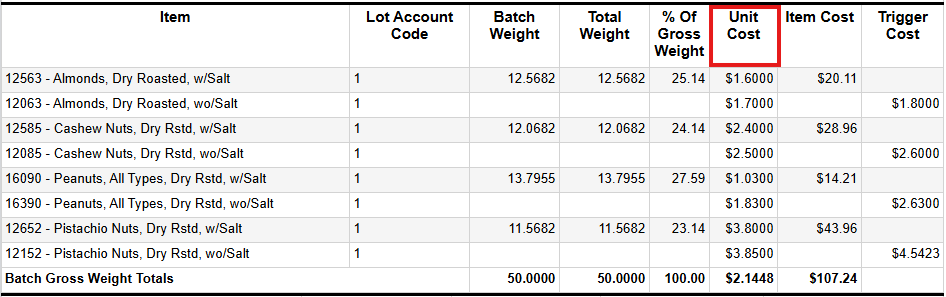
Scenario 1: Cost Increase
See how Optimal reacts when a key ingredient suddenly becomes more expensive. The system automatically adjusts the formula to minimize cost impact while maintaining all quality standards.
| Action (Input Change) | Expected Impact (Output Change) | Learning Point |
|---|---|---|
Step 1: Return to the Workbench tab. Set the table Page to Lots.
*Show Me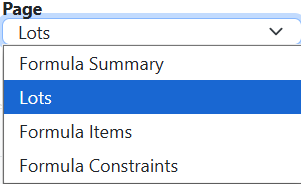
|
Increased Unit Cost: The total cost of the formula will go up, and the final recipe will use less or none of the now more expensive ingredient. |
The system prioritizes cost minimization and demonstrates how quickly you can model supply chain cost risk. In this case, Optimal selected Cashew Nuts, Dry Rstd, wo/Salt because it is now the least expensive. |
| Step 2: Locate Cashew Nuts, Dry Rstd, w/Salt (12585) and increase the cost from $2.40 to $2.51. Tip: For easy location, click the Item Name column to sort ascending. *Show Me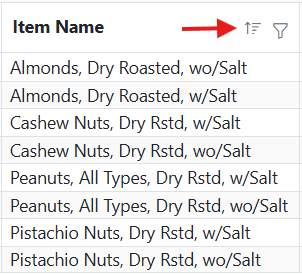
|
||
| Step 3: Click Opt it! and review the new Unit Cost. Compare it to your original report. |
Scenario 2: Cost Decrease
Discover how Optimal incorporates a lower-cost ingredient to reduce the final Unit Cost. This demonstrates the system's ability to capitalize on sourcing opportunities.
| Action (Input Change) | Expected Impact (Output Change) | Learning Point |
|---|---|---|
Step 1: Return to the Workbench. Click the Load button to reset the formula.
*Show Me
|
Lower Unit Cost: The Unit Cost will decrease because the higher-end almond vendor now lowered its cost. | The system automatically determines the optimal amount of the cheaper item to achieve the lowest total cost while meeting all recipe requirements. |
| Step 2: Locate Almonds, Dry Roasted, wo/Salt (12063) and decrease the cost from $1.70 to $1.59. | ||
| Step 3: Click Opt it! and review the new, lower Unit Cost. |
Scenario 3: Ingredient Unavailability
Observe how Optimal compensates when an ingredient becomes unavailable. The system finds the next-best solution, often at a higher cost, while still meeting all requirements.
| Action (Input Change) | Expected Impact (Output Change) | Learning Point |
|---|---|---|
Step 1: Return to the Workbench. Click the Load button to reset the formula. Set the table Page to Formula Items.
*Show Me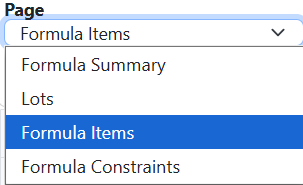
|
Increased Unit Cost: Optimal adjusts other ingredients to meet recipe rules, resulting in a higher but still optimal cost. | The system prioritizes meeting all required recipe rules (constraints) over cost, demonstrating how it handles supply chain disruptions. |
Step 2: Locate Peanuts, All Types, Dry Rstd, w/Salt (16090) and Disable it.
*Show Me
|
||
| Step 3: Click Opt it! and review the new Unit Cost. |
Scenario 4: Constraint Flexibility
This demonstrates the powerful concept of relaxing a constraint. However, this exercise limits a constraint to see the direct trade-off between relaxed formula rules and strict company requirements.
| Action (Input Change) | Expected Impact (Output Change) | Learning Point |
|---|---|---|
Step 1: Return to the Workbench. Click the Load button to reset the formula. Set the table Page to Formula Constraints.
*Show Me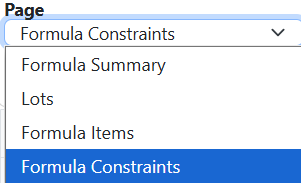
|
Increased Unit Cost: The Unit Cost will increase because Optimal will need to select a higher cost ingredient due to the strict sodium limit. | Greater flexibility expands the search space, allowing Optimal to find lower-cost solutions that still meet quality standards. |
Step 2: Locate the Sodium row and enter a maximum/upper limit of 240.
*Show Me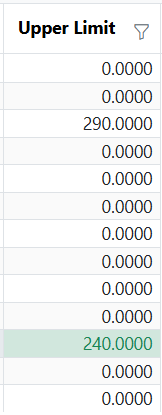
|
||
| Step 3: Click Opt it! and review the new, higher Unit Cost. |